DocuTrack HR quietly monitors employee work permits, teaching licenses, visas, and 90-day reports right inside the Google Spreadsheets your team already uses. Automated, beautifully branded email alerts keep staff compliant before critical deadlines hit.
Below is an interactive example of how DocuTrack HR monitors employee records directly inside your Google Sheet. Test the email notifications and weekly executive digests.
No external software portals or complicated databases. Everything works directly inside your Google Sheets workflow with professional elegance.
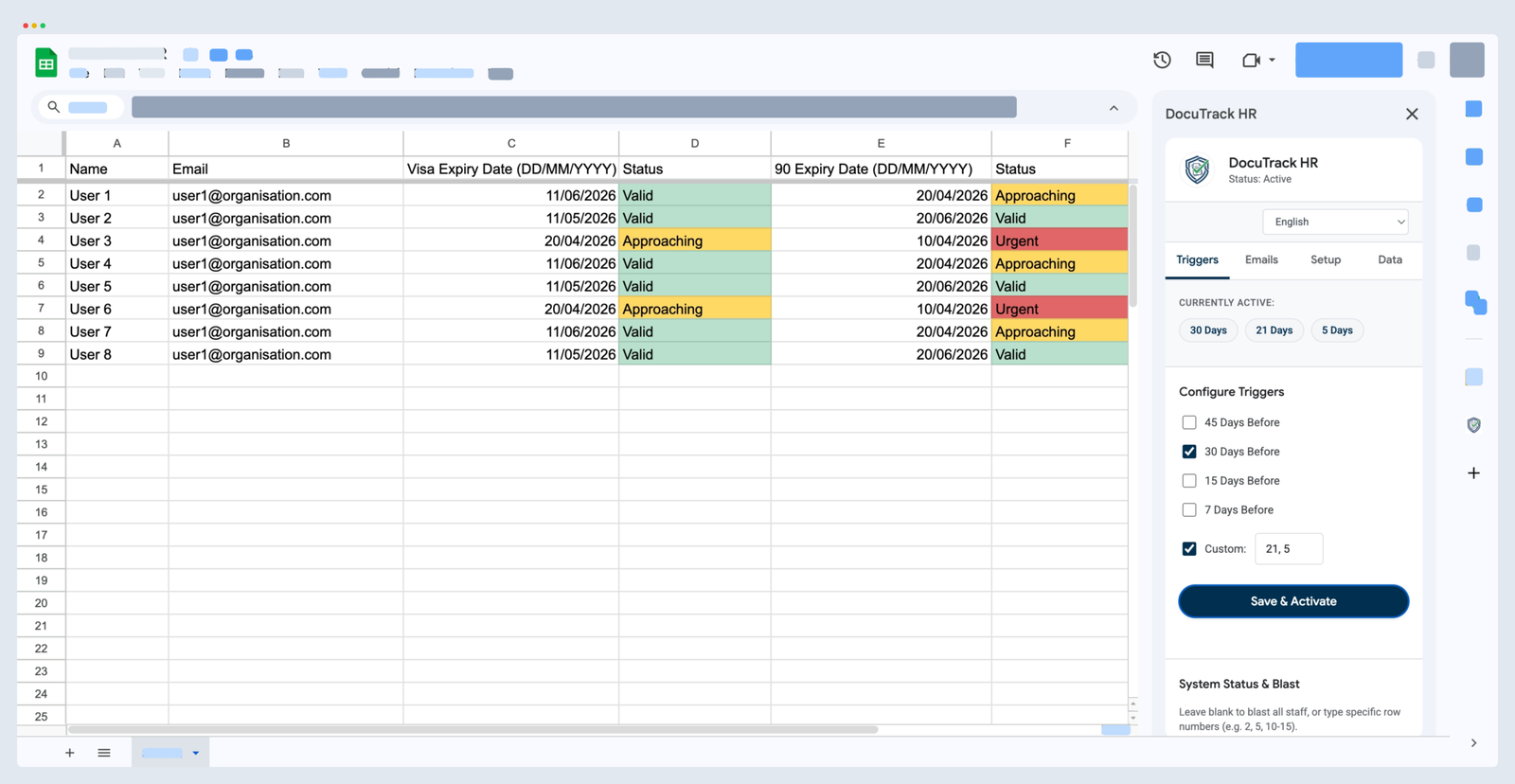
Instantly monitor which staff members are valid, approaching expiration, or require urgent HR action directly inside Google Sheets.
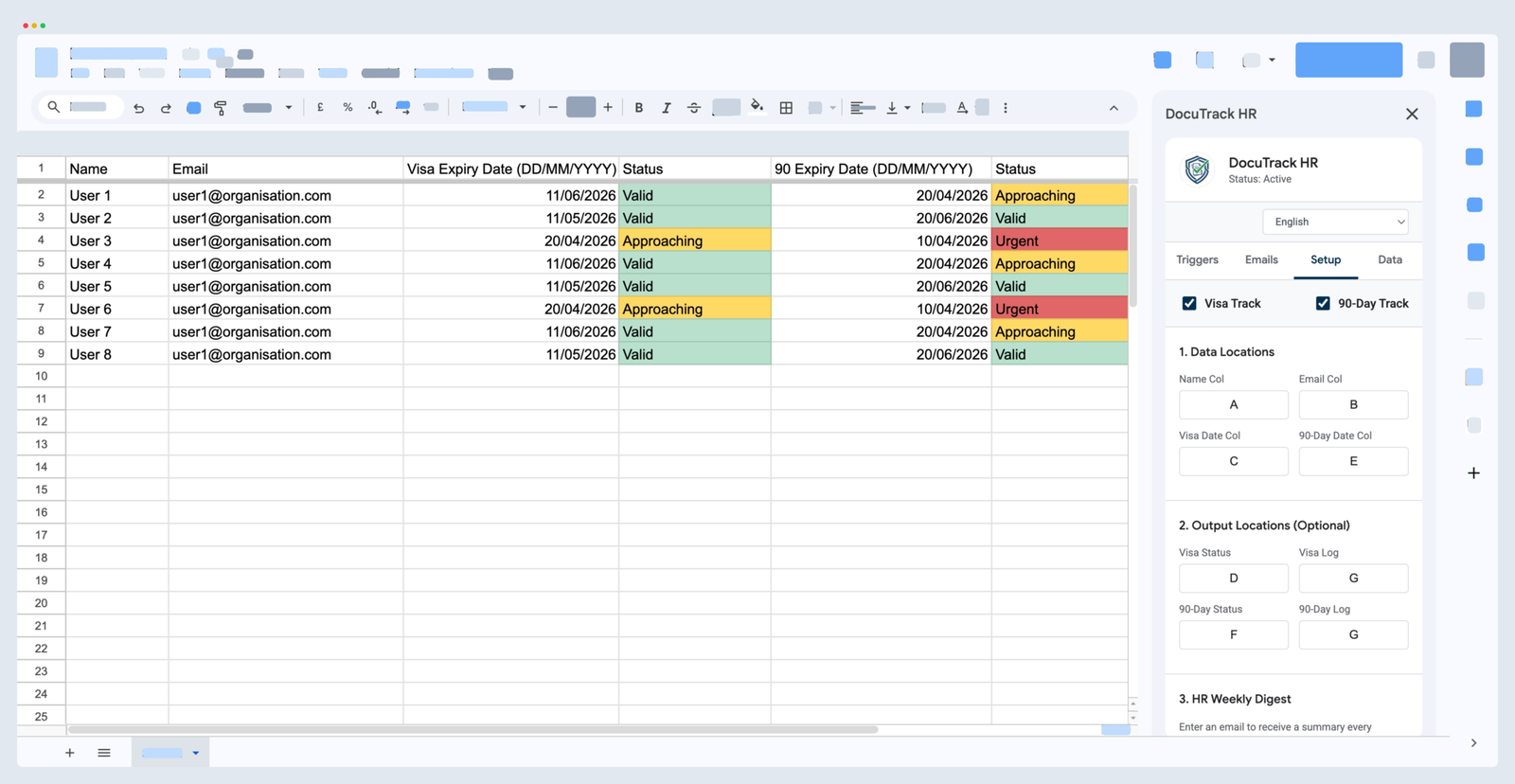
Connect your existing spreadsheet format without changing your headers or moving columns. Just map the letters.
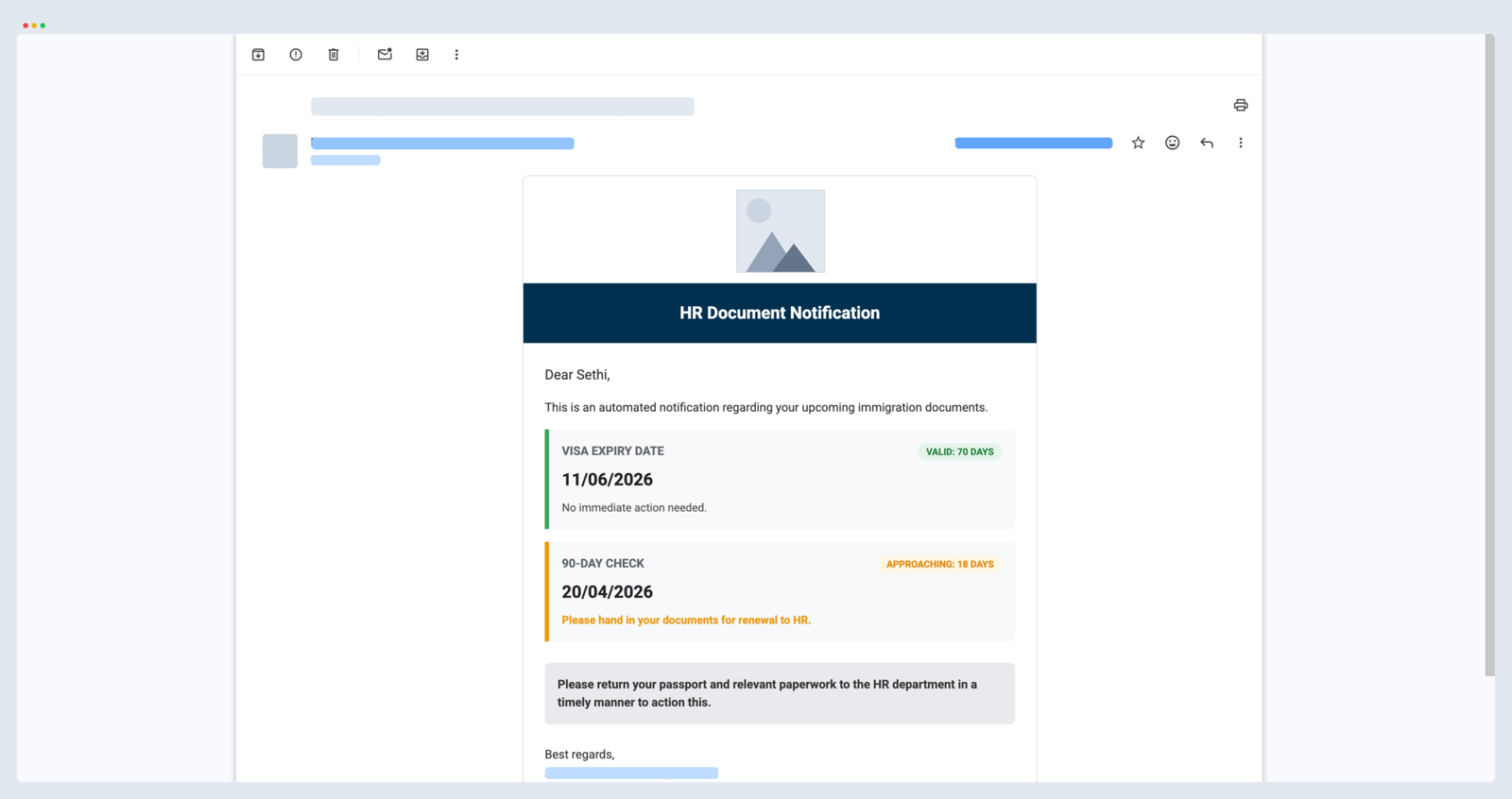
Ensure staff take swift action with official notifications bearing your institution's logo, personalized name tags, and clear instructions.
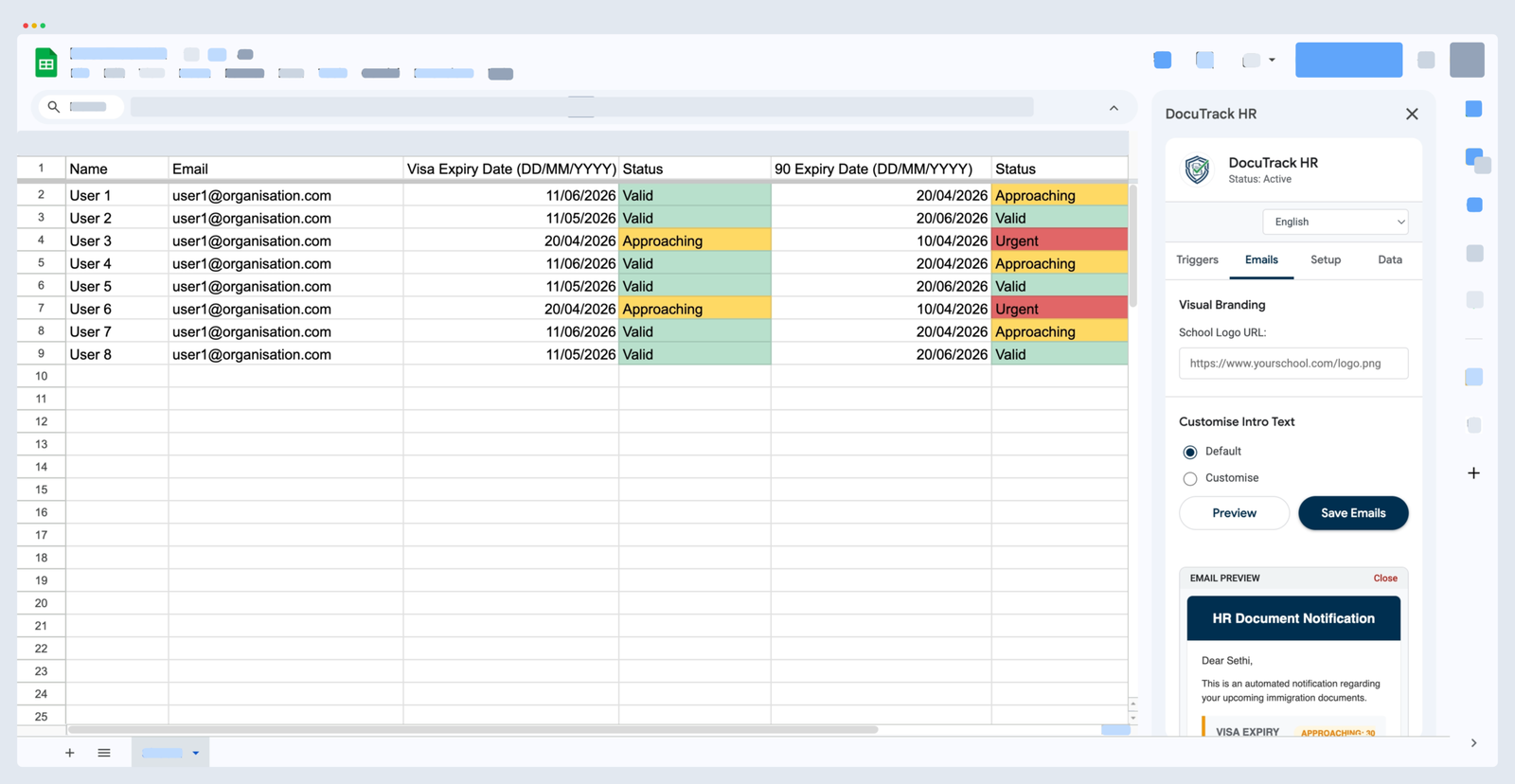
Match your institution's renewal timeline. Configure automated reminders for 45, 30, 15, or 7 days, or input custom day thresholds.
Automate the tedious administrative workload of tracking visas and expiring credentials across multiple worksheets and hundreds of staff members.
Track Visas, 90-Day Immigration Reports, Passport Expiries, Teaching Licenses, or add your own custom expiration categories (e.g. Health Certifications, Work Contracts).
Whenever an administrator or HR officer updates an expiry date in the spreadsheet, DocuTrack HR recalculates remaining days and refreshes the color badge immediately.
Never miss an expiring document. Every Monday morning at 8:00 AM, the HR team receives a clean, prioritized summary email listing all upcoming expirations across all sheets.
Have hundreds of teachers or corporate staff? Our Enterprise Queue Engine safely chunks large datasets in the background so you never hit Google's 6-minute execution limits.
Add your institution's logo, custom email subject line, personalized body text with dynamic [NAME] replacement, and custom sign-off footer for high staff trust.
International school offices and global corporations can seamlessly switch the sidebar interface into 10 different languages (including Thai, French, Spanish, German, and Japanese).
Schools and corporate HR departments handle highly confidential immigration documents, passport numbers, and employee information. DocuTrack HR was built specifically with an on-device architecture:
Start free with our Lite edition or unlock unlimited multi-sheet enterprise power with DocuTrack HR PRO.
Perfect for single-department teams and small administrative offices.
For international schools, campuses, and multi-department organizations.
Everything you and your administrative team need to know about setting up and running DocuTrack HR.
No, your cell values are completely safe! This is standard Google Sheets filtering behavior:
To restore all your rows at any moment, simply go to Data → Turn off filter or click the filter icon on the header and select (Select All). Every single row and status will instantly reappear intact.
Pro-Tip: Always ensure you create your filter across the entire table range (or select cell A1 first) rather than highlighting just a single column, so that whole rows collapse and sort together.
Google Workspace places strict 6-minute execution limits on background scripts. Standard add-ons crash when trying to scan and email hundreds of people at once.
DocuTrack HR solves this with an Enterprise Background Queue Engine. It processes staff in managed batches of 50, automatically scheduling continuation triggers until all rows are scanned. You can even safely close your browser; the cloud queue finishes the job automatically.
Yes! DocuTrack HR can track any expiration date in Google Sheets. Schools frequently use it for Teaching Licenses, Criminal Background Checks, Safeguarding Certifications, and Teacher Contracts. Corporate offices use it for Driver's Licenses, Medical Certifications, and NDA renewals.
Simply open the DocuTrack HR sidebar, click on the Triggers tab, untick all reminder milestone checkboxes, and click Save & Activate. The add-on will enter standby mode and will not send any emails until you re-enable those triggers.
Navigate to the Data tab in the sidebar. You can review recent notifications directly on screen, or click Export Logs to Sheet. DocuTrack HR will generate an "Exported Logs" spreadsheet tab containing a permanent timestamped audit trail of every notification sent.